Marketo
Integrating Marketo with Osano
Connecting to Marketo
In order for Osano to discover data stored in your systems, we must connect to those data providers via an API. We require, at minimum, read-only access to establish a connection to these providers. Each provider you connect may require different information. Please see the linked vendor documentation for instructions on where and how to obtain this data.
Setup
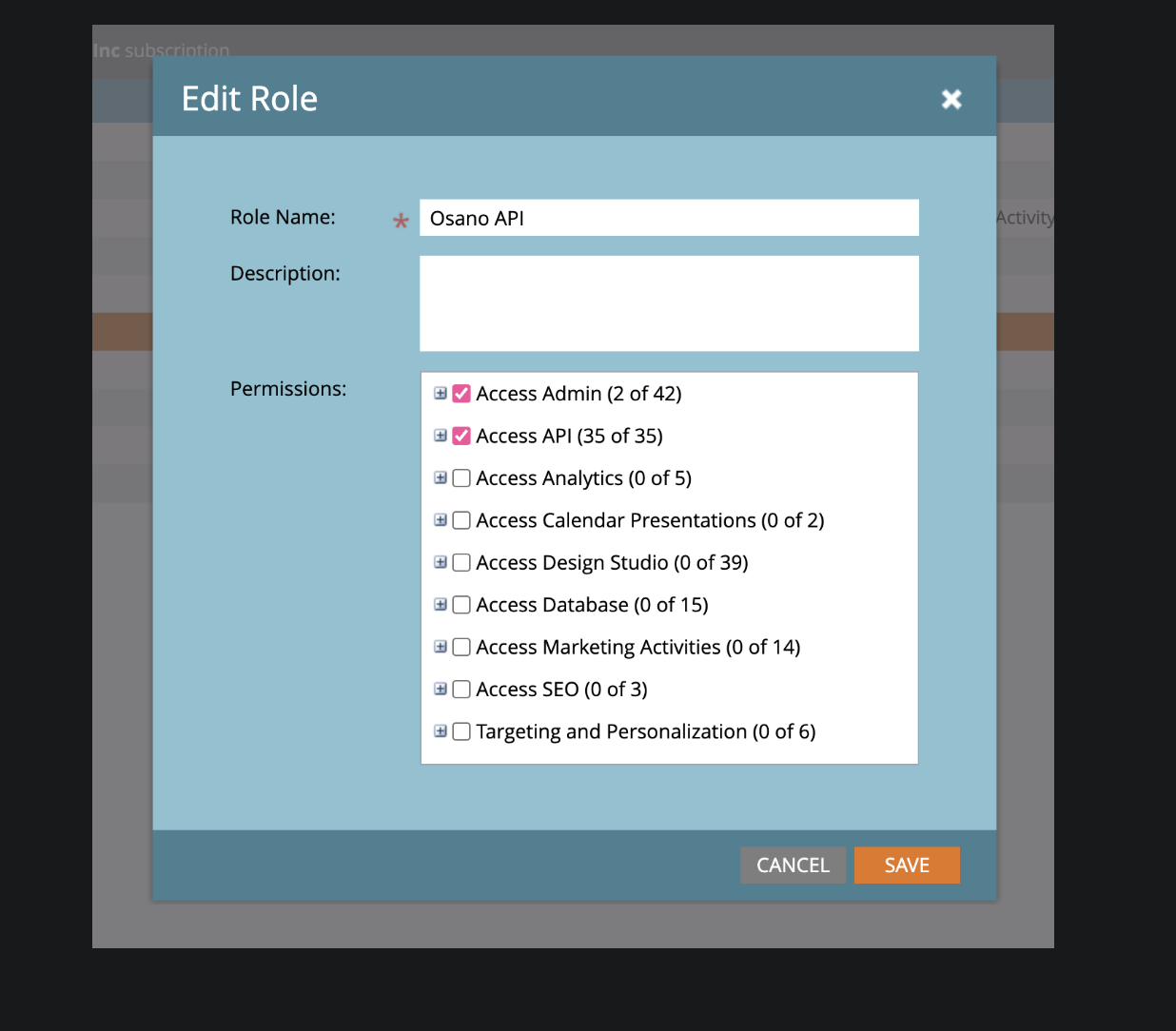
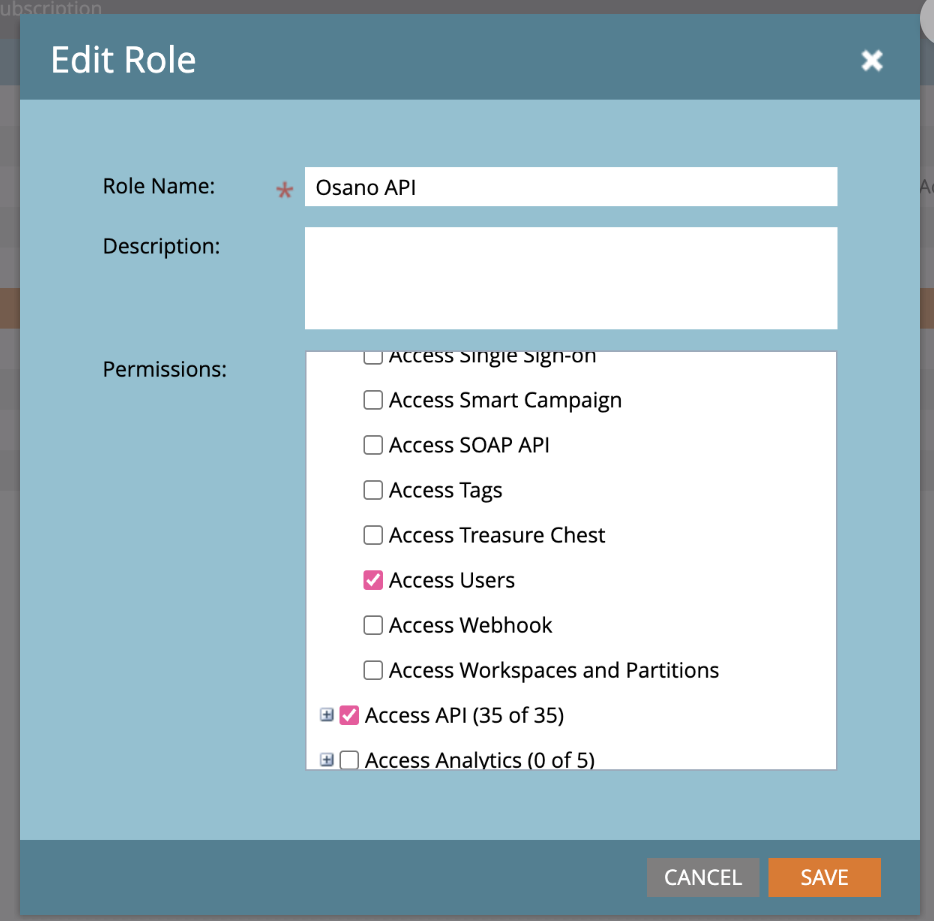
An admin must create a Bearer Token with the required scopes (Read-Only Person, Read-Only Asset, Access User Management Api, Access Users) and enter that information in Osano to establish a connection via API Key.
Authenticated Roles
admin
Authentication Actions
-
Bearer Token -Instructions for obtaining your Marketo API Key ( also known as Authentication Token) and the API URL ( also known as endpoint URL)
-
For example, if the endpoint URL reads https://100-AEK-913.mktorest.com/rest/v1/lead/{id}.json, input https://100-AEK-913.mktorest.com.
-
Required Scopes
- Read-Only Person
- Read-Only Asset
- Access User Management Api
- Access Users
- Marketo has some predefined scopes groups that you can use to manage permissions. The above are the scopes that you need to provide to Osano, which already encompasses the 4 required permissions.
Authentication Methods
- API Key
Authorization header with the api key as the bearer token
Core Functionality
- Data Discovery
- User Search
- Data Deletion
Base URL
https://developers.marketo.com/rest-api/
User Search
- name
- phoneNumber
- address
- birthday
- userId
Endpoints
Used for data discovery
- GET
rest/v1/leads.json - GET
rest/v1/leads/{{lead ID}}/listMembership.json - GET
rest/v1/leads/{{lead ID}}/programMembership.json - GET
rest/v1/leads/{{lead ID}}/smartCampaignMembership.json - GET
userservice/management/v1/users/{{user ID}}/user.json - GET
userservice/management/v1/users/{{user ID}}/roles.json
Used for user search
- GET
rest/v1/leads.json?filterType=email&filterValues={{email}} - GET
rest/v1/leads/{{lead ID}}/listMembership.json - GET
rest/v1/leads/{{lead ID}}/programMembership.json - GET
rest/v1/leads/{{lead ID}}/smartCampaignMembership.json - GET
userservice/management/v1/users/{{user ID}}/user.json - GET
userservice/management/v1/users/{{user ID}}/roles.json
Last Modified: 2025-03-28